Well, today is the last day of my Christmas break, and it’s back to work tomorrow  but good progress was made on muse.factory over the break.
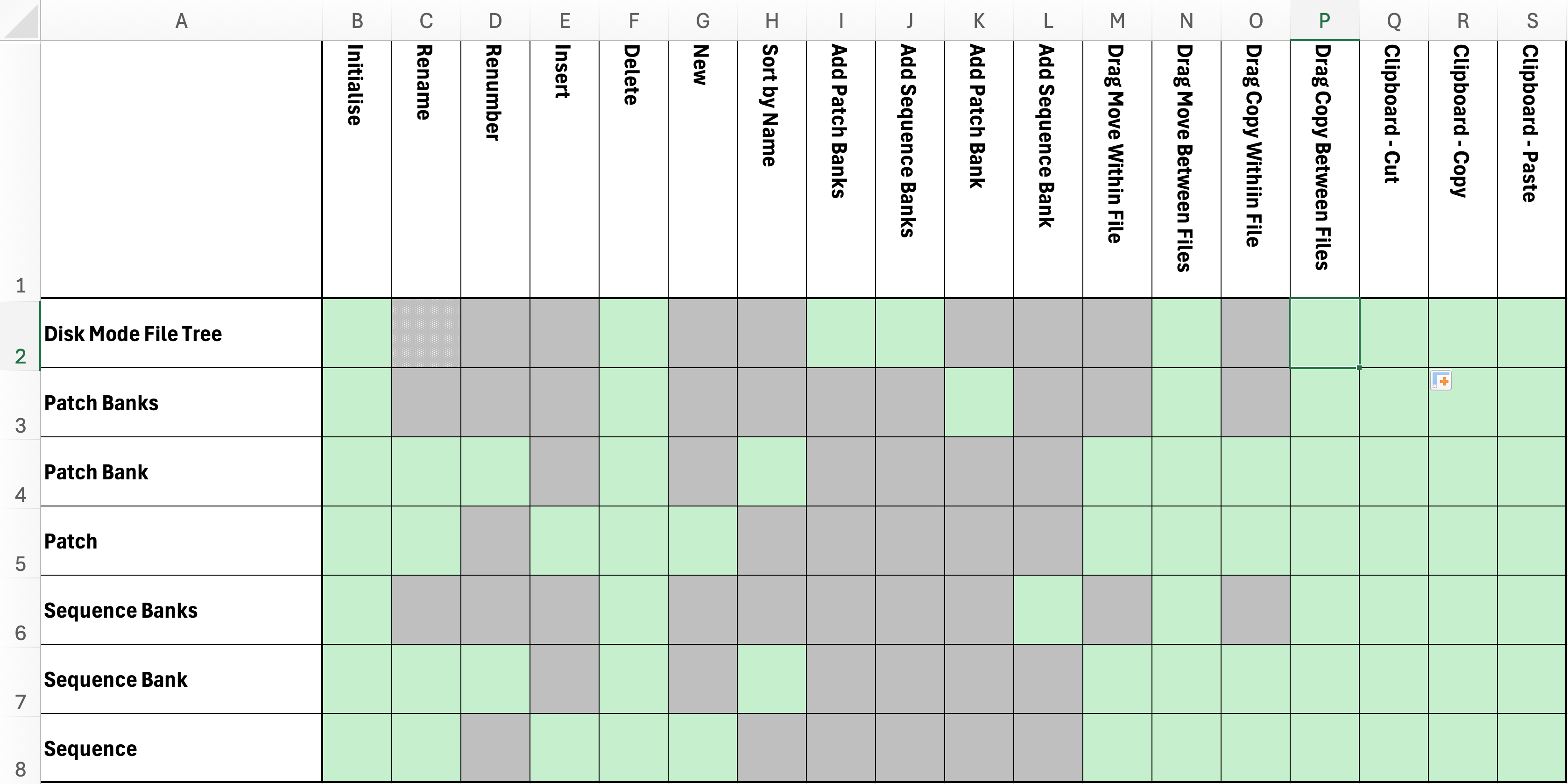
All features were tested over the weekend and are working with the exception of a problem with cutting (instead of copying) the top level of the directory tree. For now I have disabled the clipboard access at the top level and logged the issue (as it was not looking to be a five minute fix). You can still use the clipboard to cut/copy and paste as an alternative to drag and drop below the top level of the tree. I am a little baffled as to why I have the issue right at the top level.
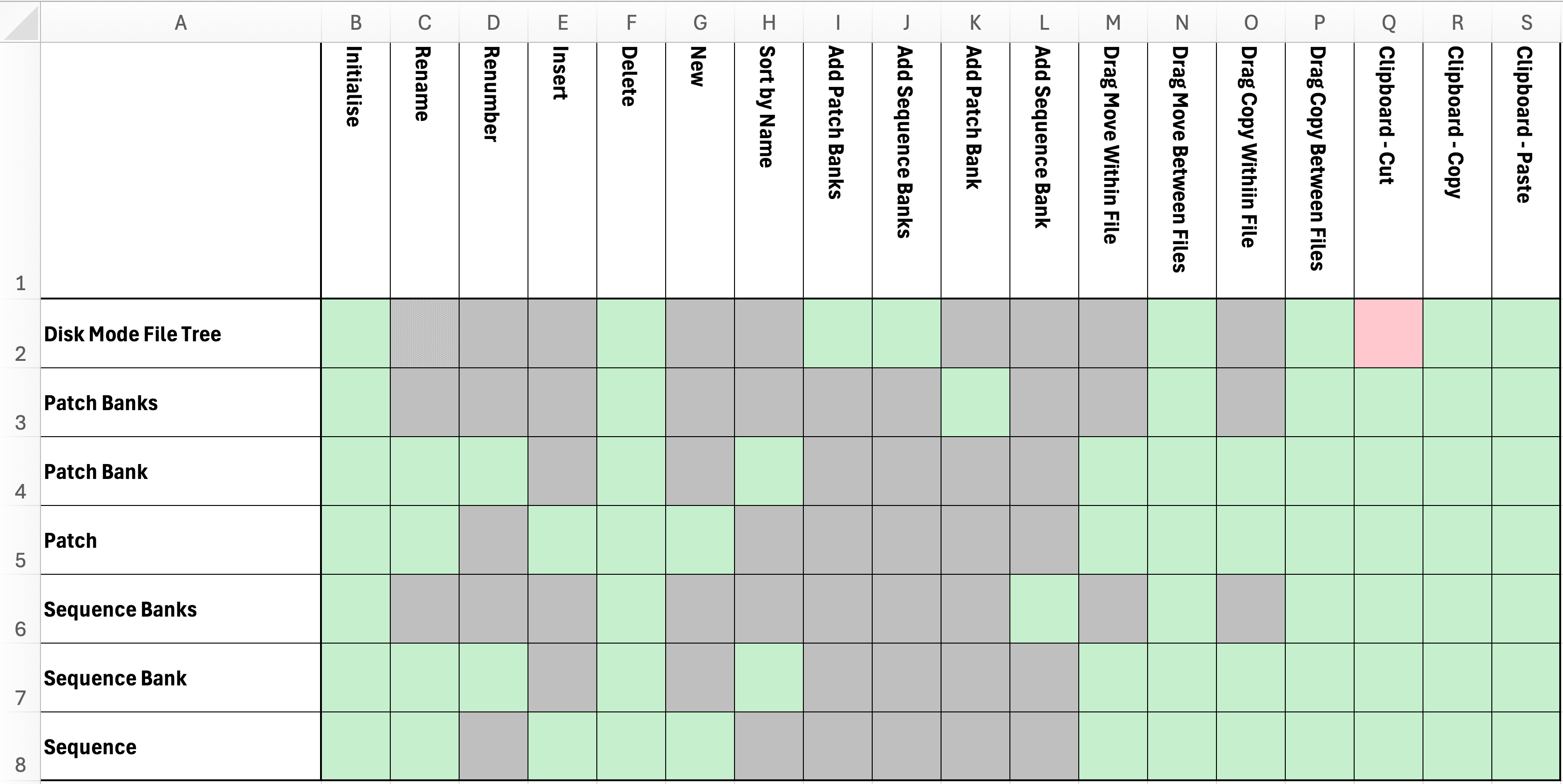
Everything else appears to work fine, and before cooking the Sunday curry (A nice stewy one with a lentil sauce for the current cold UK weather), I used the Muse disk mode to do a full backup, and then I used muse.factory to copy my current Muse contents to a test directory, used muse.factory to copy the Luftrum collection into the test directory and saved it, and then used disk mode to copy the test directory back to the Muse using Windows Explorer. A quick reboot of the Muse and it was happy with all the data.
I then got brave and tried to see if I could “open” the Muse disk mode drive directly in muse.factory. It is a little slow, but it appeared in muse.factory - see below. Drive F: is the Muse Disk mode drive mapping on my Windows DAW PC. And you can see my initial Muse patch programming efforts have been recreating some classic progressive rock sounds, if you are familiar with the song titles!
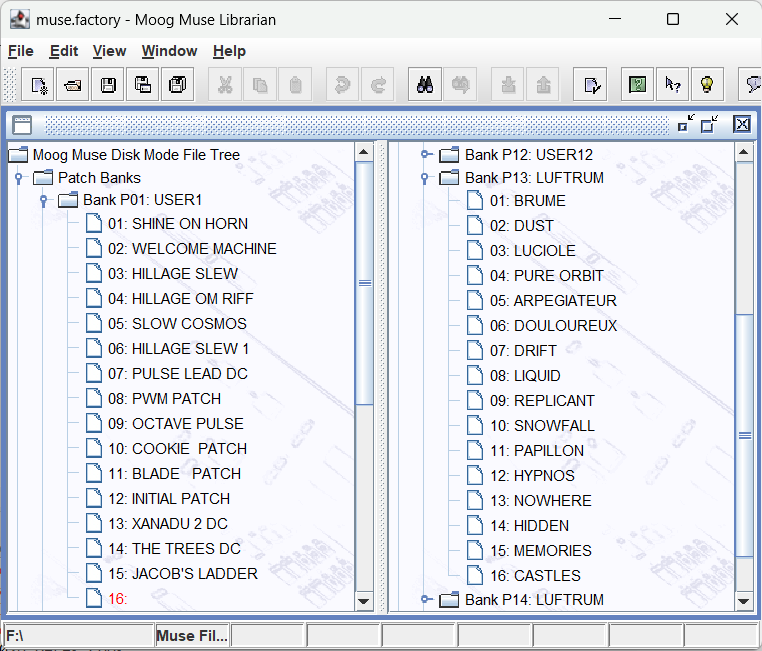
What didn’t work was getting really brave, and doing some patch rearranging on Bank 1 and saving directly to the Muse mapped drive. I ended with file exceptions that stopped the save, and had to restore from the backup I took at the start.
I think the problem there was because I need to delete directory contents before recreating them. For example renaming a patch, creates a different file. I think I had the problem because the current Java code for deleting the files is asynchronous and deleting on the Muse was slow, so the operations of deleting and saving got out of sync. A problem with Java, which is annoying, is that you cannot simply remove a directory if it is not empty, so you need to “walk” the file tree and, working backwards, recursively delete files and directories in turn. I think I can do a fair bit of optimisation here. At present the “delete and save” is pretty dumb and deleting everything as opposed to only what has been modified. However, I think that is for a later build, and for now I would put a “limitation of use” on the beta that you do not try and access the Muse disk mode directly in muse.factory until I have delved further.
Rapid application development (Agile) is often about deciding what to tackle there and then, and what to put on the “backlog”, and try and not get too bogged down in thorny issues whilst getting the basics working.
But it also leads to a question, would people like muse.factory to be able to edit the Muse Disk Mode contents directly, or would you prefer to work offline and use OS copy features to do the transfer?
In my librarians for synths where you have MIDI SYSEX access to data, I have the concept of a “synthesizer window” which is kept in sync with imports and exports (and only transferring what is modified, so maybe I could introduce the specific concept of a Muse Synthesizer window for disk mode with a specific mapping to how it appears to the OS. I could also then add features, like automatically backing up the Muse before doing any edits.
Thoughts?
But all in all, I think this has been good progress and on the old 80/20 rule in terms of “is the code ready for beta testing?”, I think it is nearly there and definitely moving beyond alpha code quality.
The ability to intuitively move data about in muse.factory is already so much better than having to faff about with the individual files.