The plug in still cannot find the sub 37 in the latest firmware and editor revisions.
The standalone products connect fine but not the 32 bit vst within Ableton.
my sub 37 is at 1.1.22 with 0.9.42
The plug in still cannot find the sub 37 in the latest firmware and editor revisions.
The standalone products connect fine but not the 32 bit vst within Ableton.
my sub 37 is at 1.1.22 with 0.9.42
Do you mean that Ableton doesn’t not show the Sub 37 Editor VST on the lists ? Does Ableton list other plugins which are placed at the very same VST folder ? Did you use Editor VST x86 for Ableton 32 and Editor VST x64 for Ableton 64 ? Did you rescan the VST folder in Ableton ?
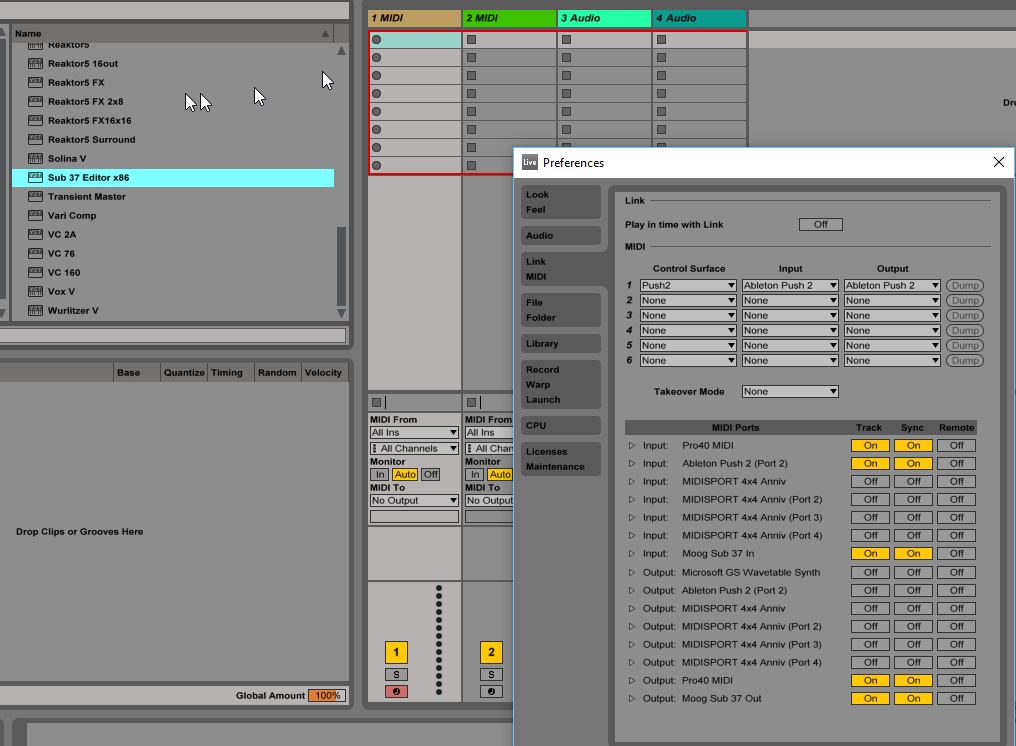
I mentioned this yesterday to Amos, he advised to reinstall the usb driver which i did but i had already done that on 19/2 you can see from the attached screenshots that ableton see’s the sub37 within its settings, in fact if i drop another instance of the 23 bit plug in on the same track the plugin correctly says its running already.
Maybe other beta testers with win 10 and ableton 9.6 are having similar issues but I havnt seen any posts about this issue.
To assist I will add the usb driver to my win 10 laptop and see what happens within ableton.
I believe ive reached the limit of what i can do here technically but if you want to explore this later ive no objection to moog calling and see if the issue can be identified, its strange that this only occurred from 0.9.40 and subsequent versions.
I have a 64 bit win 10, however vst 32 plugins are much stabler so i have the 32 bit version of ableton suite installed so subsequently only use 32 bit plug ins within it. yes ive rescanned the plugins and all other plugins from other providers are shown and working.
i believe Amos has my telephone number if you want to delve into this a little more.
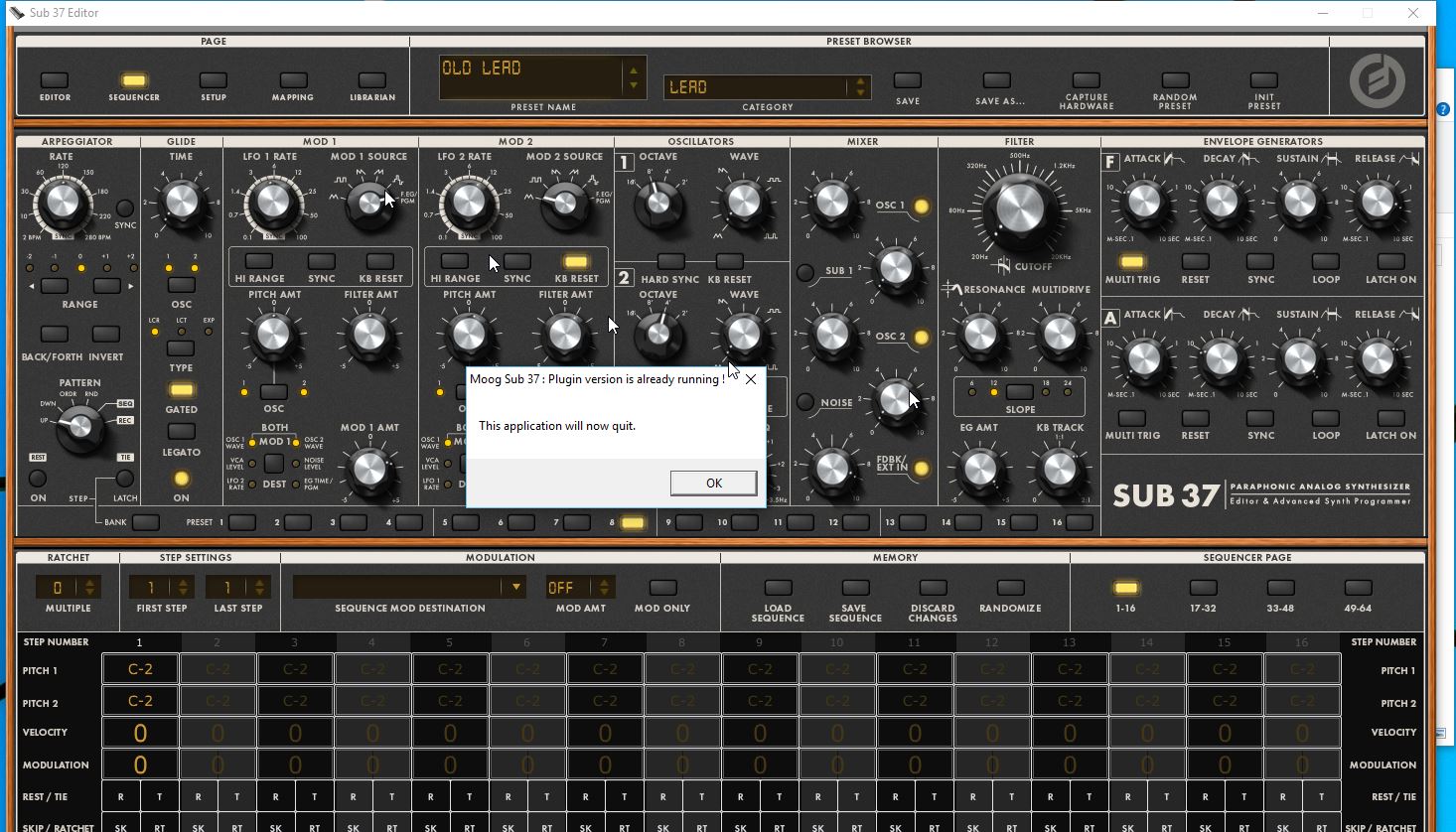
Ive installed the usb driver onto my laptop and successfully used the vst 32 bit with ableton and the sub 37, so the problem is something specific to my main windows computer, the only difference is that the main pc has other usb midi device drivers from korg and roland.
Maybe you can decipher more of the puzzle from the screen shots etc.
Ive just updated to 1.1.23 and the vst 32 problem is still the same in ableton.
Ive checked system events under the sub 37 properties and it shows an error, so this might be relevant or indeed have an easy fix.
Log Name: Microsoft-Windows-Kernel-PnP/Configuration
Source: Microsoft-Windows-Kernel-PnP
Date: 24/02/2016 07:59:47
Event ID: 441
Task Category: None
Level: Error
Keywords:
User: SYSTEM
Computer: Main-PC
Description:
Device USB\VID_2662&PID_0FFC\23345678 could not be migrated.
Last Device Instance Id: USB\VID_0700&PID_0101\0123456789
Class Guid: {36fc9e60-c465-11cf-8056-444553540000}
Location Path: PCIROOT(0)#PCI(1A00)#USBROOT(0)#USB(1)#USB(5)
Migration Rank: 0xF000FFFF00000123
Present: false
Status: 0xC0000719
Event Xml:
441
0
2
0
0
0x4000000000000000
1324
Microsoft-Windows-Kernel-PnP/Configuration
Main-PC
USB\VID_2662&PID_0FFC\23345678
USB\VID_0700&PID_0101\0123456789
{36FC9E60-C465-11CF-8056-444553540000}
PCIROOT(0)#PCI(1A00)#USBROOT(0)#USB(1)#USB(5)
0xf000ffff00000123
false
0xc0000719
Hi, and thanks for this additional research!
I’ve never seen this “could not be migrated” error before, but I’ll look into it.
It definitely seems related to the difficulty, especially if there is no such error on the system where all the same software/driver/firmware versions are working OK.
Yes I delved a little deeper but its about my skills limit now. its strange that no one else has the bug but of course the beta team might be small and as soon as the editor is released to the public then the event might surface again.
Thx for the reply.
pb21, just to be sure, is everything working correctly on your second Windows 10 / Ableton x32 / VST x86 setup ?
The answer is yes
This morning I finally got the vst 32 working in ableton.
then hey presto the connection problem was gone.
anyway thought you would want to know.
great,
so is this problem solved now ?
so far now its been fine
Thanks, please let us know if you see it again.