
This Librarian features Undo (multi level), drag and drop Renaming and Delete.
Dbl clicking will show the parameters for a patch.
Just use the same directory structure the muse does. root/library/bank01 etc.
point it to your root folder and you are done.
send me a dm if you are interested in registering or want the demo. it will cost 10.00 to register. The demo has no limitations.

I have decided to make this version free. here are the features.
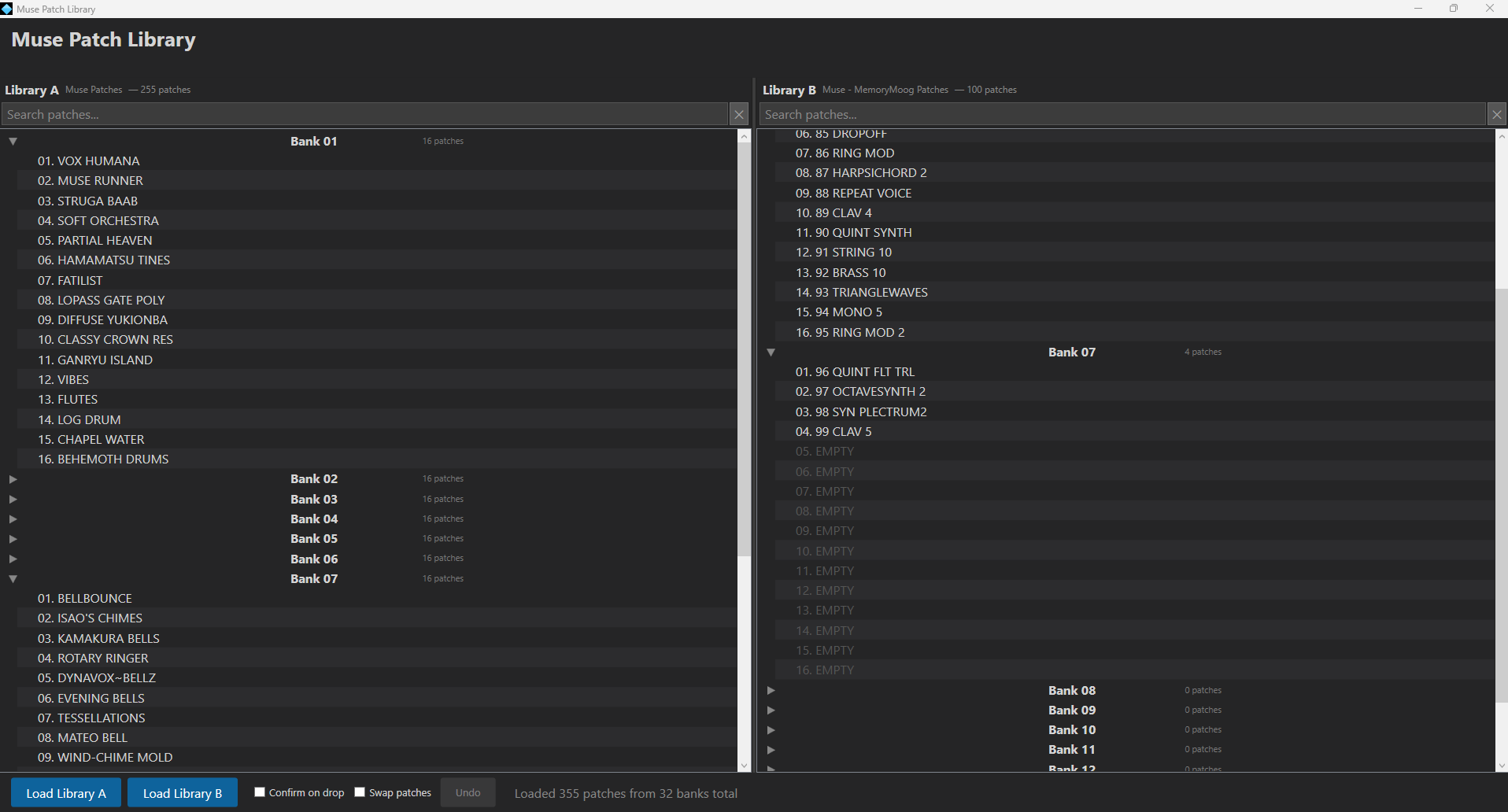
### Dual-Library View
- Load two independent Muse patch libraries side by side (Library A and Library B)
- Each library displays all banks and their patches in a collapsible tree view
- Per-library patch counts shown in the header (excludes empty slots)
- Per-bank patch counts shown inline next to each bank name
Drag and Drop
- Drag patches from one library panel to the other to copy them into a specific slot
- **Confirm on drop** — optional confirmation dialog before overwriting a patch (off by default)
- **Swap patches** — when enabled, dragging a patch swaps the source and destination slots instead of copying
### Undo
- Multi-level undo for copy and swap operations
- Restores both slots to their original files after a swap undo
### Patch Renaming
- Right-click any patch to rename it via an inline rename dialog
- Saves the new name directly into the `.mmp` patch file
### Patch Details
- Double-click any patch to open a details window with full patch metadata
### Registration / Licensing
- Enter `MUSE` as key for a permanent registration - No internet required.
- Self contained exe. no installation required. Windows 10 and above only.
updated UI
1 Like
Nice! Thanks. abcdef
forgot to mention that you can create a folder with an empty folder inside it called library and the app will create a blank library for you. IE all the sub folders required. just load that library and it will be done automatically.
1 Like
Looks great, will try it out soon. thankyou so much!
Would this let me combine timbre’s from various patches?