Just picked up a Minitaur today and can’t seem to get it running with Ableton 10.
I’ve tried both using the External Instrument and the MOOG Editor software to sync it up.
Setting the synth up to receive midi by pressing all four buttons isn’t working. They keep blinking even when I try playing midi from both my Push and drawing in midi notes in the DAW.
Likewise, In the editor isn’t able to resolve the problem no matter which Midi channel is selected.
No idea what the issue is as it seems like a simple set up.
Has anyone encountered similar issues? Fixes?
HELP!
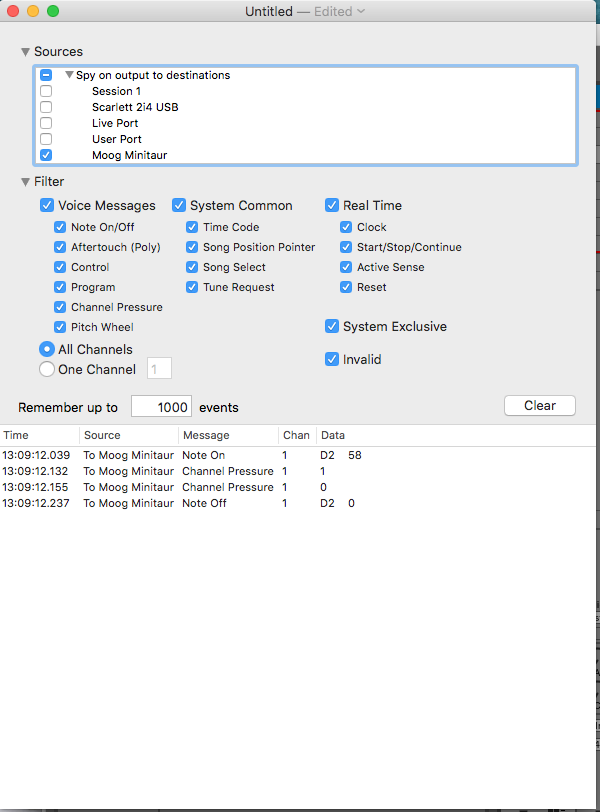
I also just ran Midi Monitor on my Mac and it showed that Ableton 10 and Push were sending midi to the Minitaur.
Still there’s no sound coming from the synth and I won’t receive the midi channel setup info either.
I’ve attached a screen cap of the midi monitor test.
Tried a couple different midi cables.
Still no sound.
Checked Midi Monitor and it says that Ableton is sending midi info to the Minitaur.
However, the synth is still not responding to the midi channel set up and still isn’t making any sound.